A website serving two types of business enquiry
Cargo Shark is a US freight brokerage. Its website serves both companies looking for transport and carriers offering capacity. The first group needs information about freight services and a quote request. Carriers need a separate route to introduce their business, equipment and lanes.
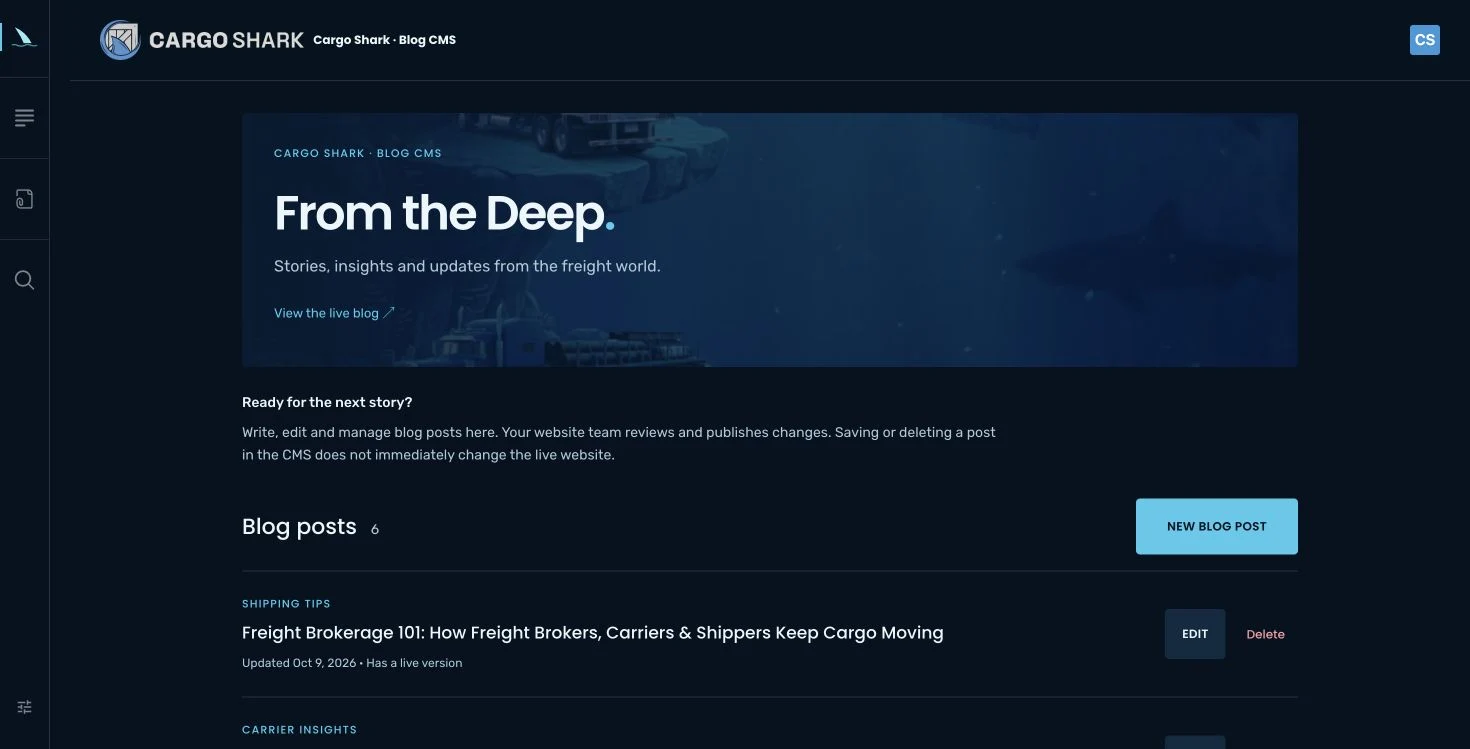
We developed the website around the approved visual direction, with transport services, a carrier page and a blog. For the blog, we configured a CMS that the client accesses through a dedicated account.
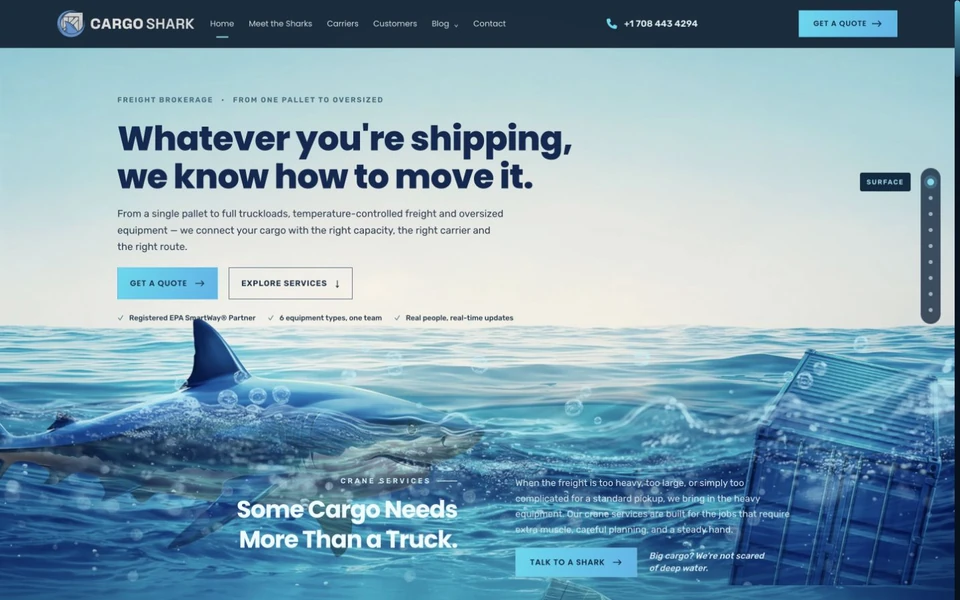
Ocean imagery as part of the identity and navigation
Ocean, ship and shark illustrations connect the Cargo Shark name with freight. A journey through different depths follows the sections of the home page, with transport services presented in context. We retained the approved fonts, colours and layout.
This visual approach still needs a clear route to information. Navigation, service overviews and quote calls to action provide a next step for visitors who do not explore every animated section. Blog listings and articles follow the same visual identity.
Quote requests and carrier introductions collect different details
A visitor looking for transport selects the relevant service and opens a quote request. The website connects this journey to a HubSpot form. The freight type selected through a call to action is passed to an available matching form option.
The carrier page has its own form. It asks for the company, MC number, dispatch contact, equipment and preferred lanes. Submitting these details starts a conversation with Cargo Shark; carrier approval and agreement on a load take place separately.
This distinction is part of planning a business website. Two audiences can use the same domain while needing different information and contact steps. Our transport company website guide explains how to prepare these requirements.
What can the client edit in the CMS?
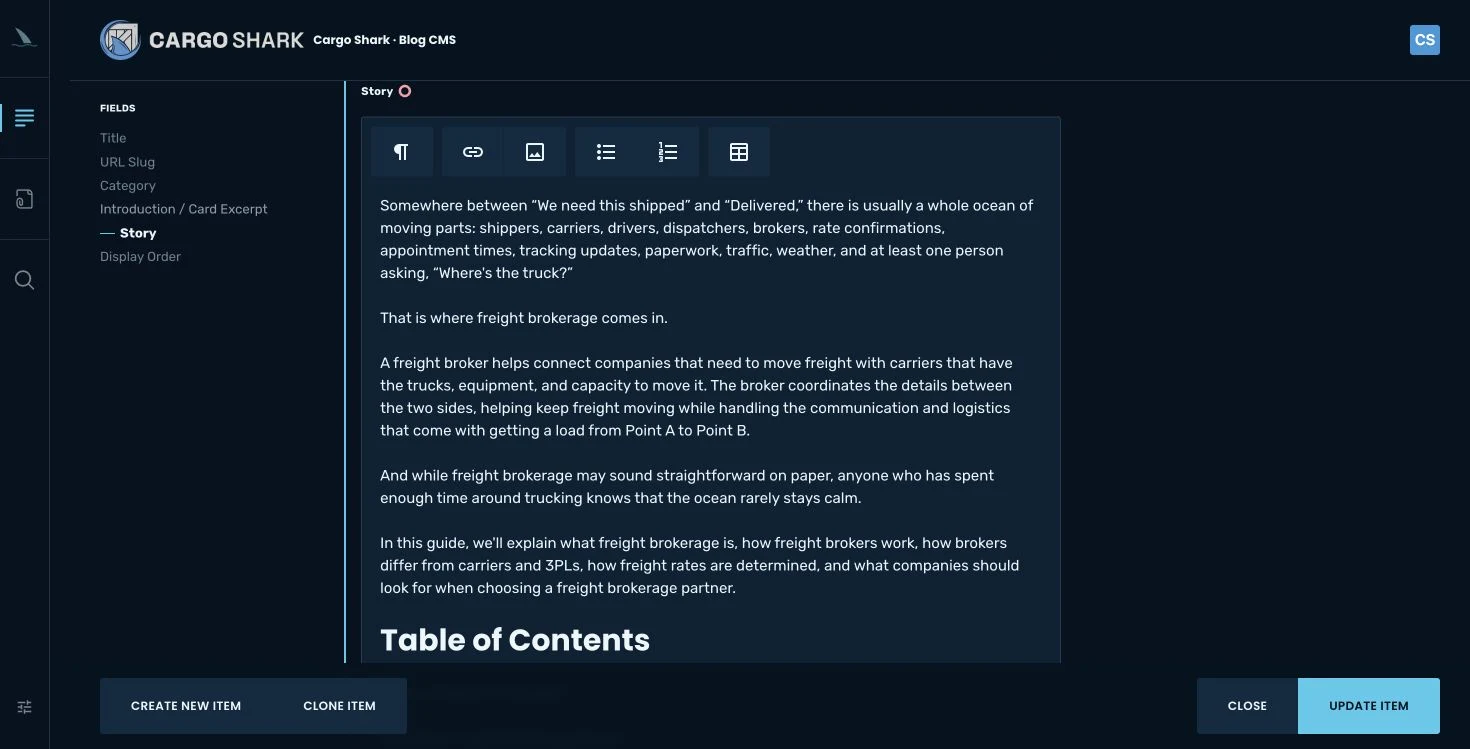
The blog CMS uses Cockpit, with a tailored dashboard, content model and Cargo Shark branding. The client can edit titles, introductions, categories, article text, images and display order. Separate SEO fields support titles and descriptions for search and sharing.
The text editor supports headings, links, lists, images and tables. Content uses the existing article design. The CMS does not provide unrestricted fields for changing the fonts, colours or layout of the entire website. This scope suits a client who needs to prepare articles while preserving the approved design.
From draft to published article
- Content preparation. The client signs in with their account, adds or edits an article and saves a draft.
- Editorial review. The agency reviews the copy, images, links and SEO fields, then prepares the approved content for publication.
- Website publication. Approved articles become part of a new static version. The checked version is deployed to hosting, with a way to restore the previous version.
Saving a CMS change does not immediately change the public website. Deleting an article also waits for review and a new release. Editorial work is separated from user administration and final publication. The client prepares content while the agency reviews the public version.
Content checks and maintenance
CMS integration checks covered editor permissions, exclusion of drafts from the public export and preservation of the existing text when importing articles. Formatting is processed so that content cannot introduce arbitrary scripts and styles into a public page. Changing a published URL requires an appropriate redirect plan.
The public website is delivered as a static version and does not load the CMS database for each visit. The CMS and publishing process serve different purposes. This case study documents their functions and our work; enquiry and sales outcomes require separate measurement.
Planning a similar website
For a web application or CMS, first decide who enters content, who reviews it and who publishes. List the page types that need editing and the design elements that must remain controlled.
For a similar project estimate, describe the audiences, required forms and content you want to manage. Request a business website estimate with these details.