B2B portal development

A B2B portal gives your business and its partners a shared place to work. It can support wholesale ordering or collaboration through documents, requests and status updates. We plan user roles, access rules and connections to existing systems around the workflow you want to improve.
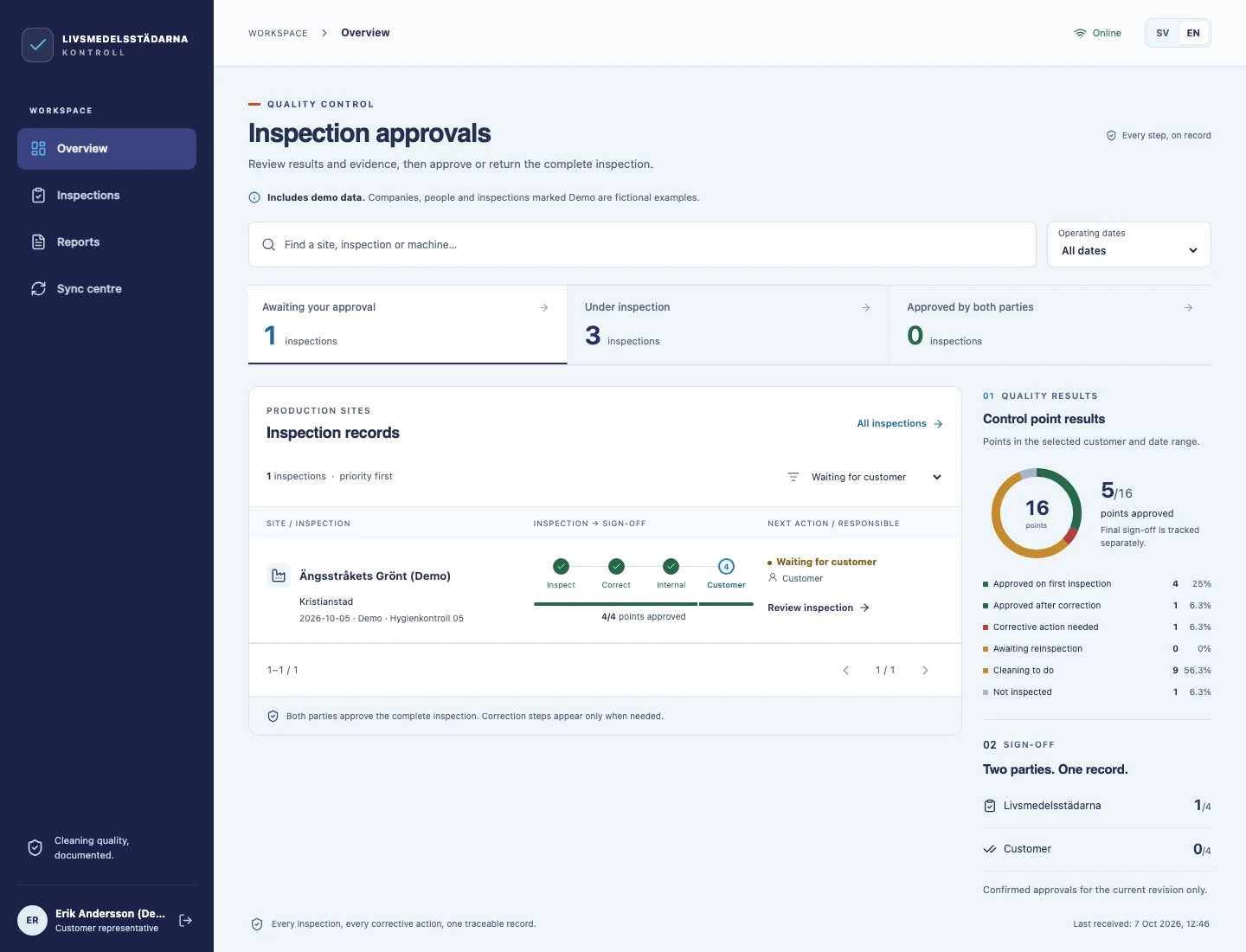
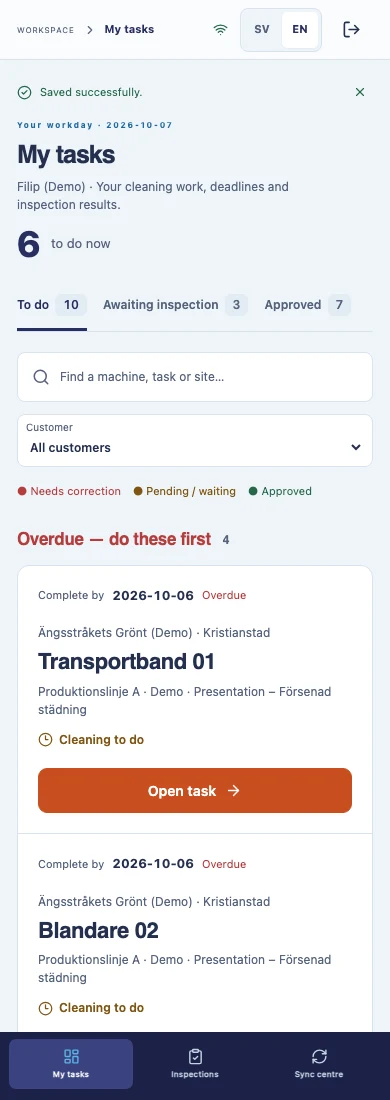
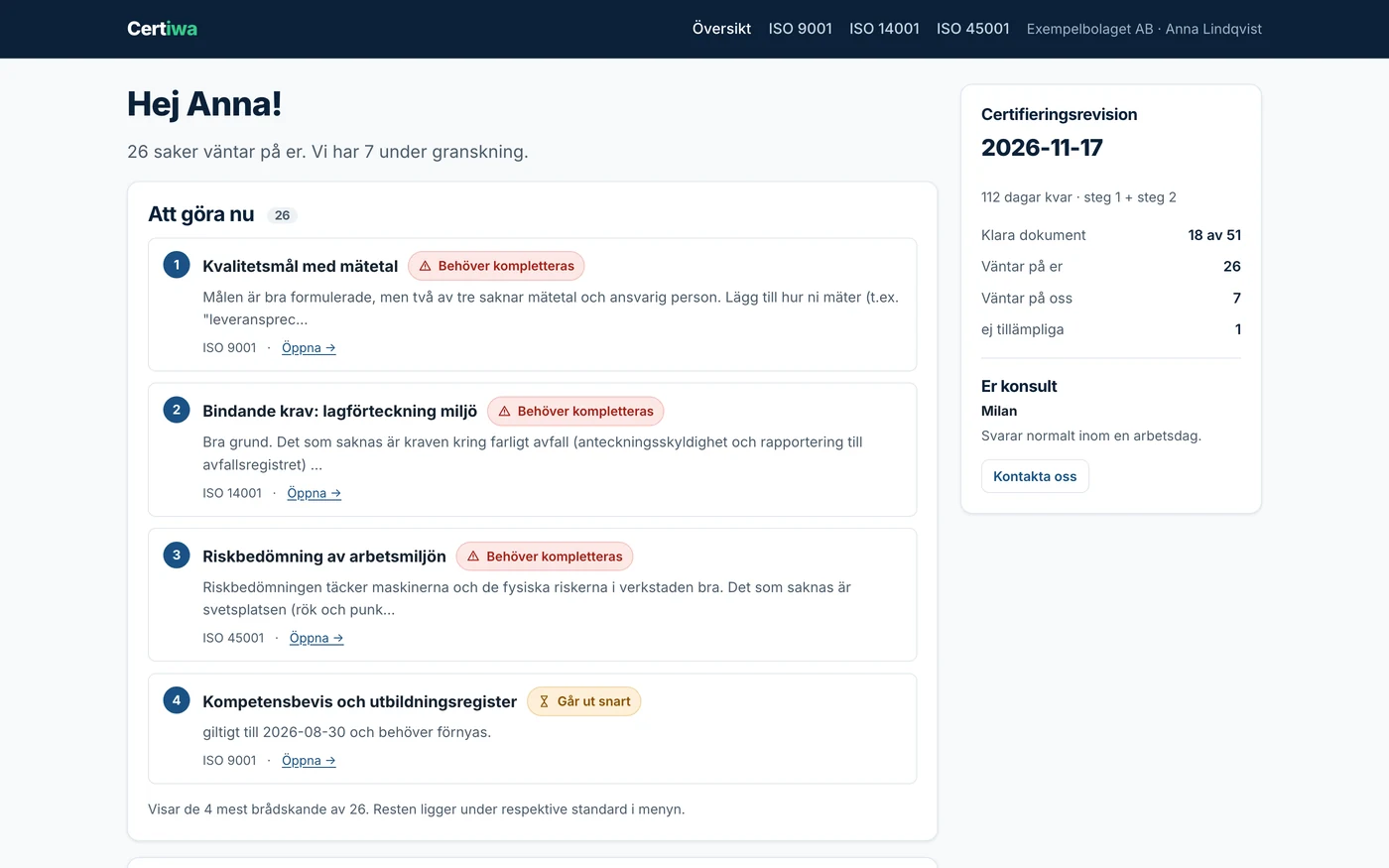
B2B portal concept: partner price lists, orders and document approvals
B2B portal concept: ordering, approvals and partner collaboration. The interface illustrates possible features.

When does your business need a B2B portal?

A B2B portal can be useful when partners regularly ask for the same information, send requests by email or work under different commercial terms. Its scope depends on whether the main task is sales, collaboration or a combination of both.

B2B wholesale

Partners access a catalogue, negotiated prices and ordering. Unlike B2C sales to individual consumers, the workflow may depend on account approval, pack sizes and payment terms. For public sales at standard prices, explore online store development; both models can be part of one project.

A portal for partner collaboration

Sales are optional. A partner can submit a request, provide documents, track its status or discuss a project. We agree on who can see each file, who handles the request and where replies are recorded, rather than leaving information scattered across separate conversations.

Extend an existing system or build a separate portal?

We first check whether your existing store or business software supports the accounts, price lists, permissions and workflows you need. If a maintainable extension can cover them, a separate portal may be unnecessary. We consider a separate solution when partner requests, documents or business rules go beyond those capabilities. The decision follows a review of limitations, integrations and maintenance costs.

EXAMPLE WORKFLOWPartners, team and systems. Connected.
  1. Your business partner

    • Approved company account
    • Role-based access
  2. Your B2B portal

    • Orders or requests
    • Documents and statuses
  3. Your team and systems

    • Sales, support and operations
    • ERP and CRM integration

Illustration of a possible solution. Features and data flows are defined around your process.

Partner accounts and portal features

We select features around the tasks partners and employees need to complete. Some are shared, while catalogues, orders and project documents depend on the purpose:

  • Partner accounts

    Company registration, information checks and access activation after approval.

  • User roles

    Separate permissions for ordering, approvals, administration and access to information.

  • Requests and statuses

    Submitting a request or order, assigning responsibility and viewing the agreed processing stages.

  • Catalogue and negotiated prices

    Products, pack sizes and minimum quantities, with prices and discounts by partner or customer group.

  • Repeat ordering

    A new order prepared from purchase history, with current prices, availability and terms checked again.

  • Documents and communication

    Agreed file access, sharing additional information and conversations linked to a specific request or project.

Who can see the data, and who revokes access?

Permissions need to be defined at two levels: which information a partner company can see and what each user within that company may do. We agree on who approves new accounts, changes roles and revokes access when an employee leaves. Checks include attempts to access another partner’s price lists and documents, as well as system behaviour after access is revoked.

From an order or request to processing

A submitted request is not necessarily approved, just as an order submission does not automatically confirm delivery. We define the steps before development:

  1. The partner signs in and selects products or prepares a request and the required documents.
  2. The portal checks required information and rules; orders also require quantity and ordering-term checks.
  3. The request reaches the responsible person for processing or waits for approval.
  4. The partner sees status updates and responses according to the agreed business process.

Hypothetical example: a retail partner repeats a previous purchase. One product is no longer available and another has changed in price. The new order therefore shows current terms, while the previous order remains a historical record. We also define when stock is reserved and what happens if a reservation cannot be made.

Connecting ERP, CRM and other systems

The portal should not introduce inconsistent price lists, partner records or documents without clear ownership. We first identify where the relevant information is maintained, who may change it and how often it is exchanged.

Connections through API integrations depend on the capabilities and permissions of the existing software. Where a suitable API is unavailable, we assess whether controlled file imports and exports fit the workflow. The plan covers duplicate requests, failed transfers and subsequent data checks.

If there is no central customer or stock record, it may also be necessary to consider a CRM or ERP system, rather than asking the portal to take on every business function without a clear plan.

Phased development, checked against the real workflow

We start B2B portal development by describing one complete workflow, from partner sign-in to order or request processing. This separates essential features from those that can wait.

  1. Specification

    We agree on roles, data, business rules and acceptance criteria.

  2. First release

    We develop the agreed workflow and review it with selected users.

  3. Integration checks

    We test successful and failed transfers, access permissions and price calculations.

  4. Rollout

    We plan data migration, training, support and subsequent phases.

Where specific business rules are involved, we work through the scope as custom software development. The schedule is estimated once the features and dependencies are clear.

Who maintains the portal after launch?

Before launch, we agree on where partners report problems, who checks failed transfers and who contacts the provider of a connected system. The proposal should distinguish maintenance of agreed features from new requirements and extensions. Monitoring scope, responsibilities and support arrangements are defined for the specific project.

What determines the cost of a B2B portal?

The cost depends on features and connections, not just the number of screens. Important factors include user roles, data quality, document access rules and the complexity of pricing or approval workflows.

For an estimate, we separate portal development, integrations, data preparation and migration, testing and support. Licences, hosting and third-party service charges should be shown separately where applicable. A universal starting price without this information would not be a reliable quotation.

We can define a smaller, usable first phase. The proposal should clearly state what it includes, what comes later and who is responsible for each task.

What should you prepare for a project discussion?

Concrete examples are more useful at the start than a long wish list. Prepare:

  • a description of your partners and current order or request workflow;
  • a sample price list, order or document with confidential information removed;
  • the names of existing software and any available integration documentation;
  • access and approval rules, plus payment and delivery terms where relevant;
  • first-release priorities, the intended schedule and a budget range.

If something has not yet been decided, flag it as an open question. Do not send access credentials through the public contact form.

Frequently asked questions about B2B portals

Can customers see prices without signing in?

They can if that is part of the agreed model. Another option is a public catalogue without prices, with negotiated terms shown only after an approved partner signs in.

Can one company have several users?

Yes. This model can include a person placing orders, someone approving purchases and an account administrator. We define the permissions for each role before development.

Can the portal work with our existing ERP?

Integration feasibility is checked against the specific software, documentation and available access. An existing ERP does not need to be replaced solely for the portal if it supports the required data exchange.

Can a B2B portal work without selling products?

Yes. A portal can be used solely for partner requests, documentation, project discussions and status tracking. A shopping cart, price lists and payments are unnecessary if they are not part of your workflow.

Can the portal be used on a phone?

A web portal can be adapted for phones and computers. A separate mobile application is considered when user tasks require capabilities that the agreed web approach does not cover.

Can we start with just some of our partners?

Yes. The first phase can cover a selected group and a limited set of features or catalogue. Key tasks, access permissions, data exchange and support are checked before expanding access.

Describe how your partners place orders, submit requests or exchange documents and request a B2B portal development estimate.

YOUR NEXT PROJECT

We listen. We analyze. We deliver.

Free project estimate