A fashion catalogue with a clear route to purchase
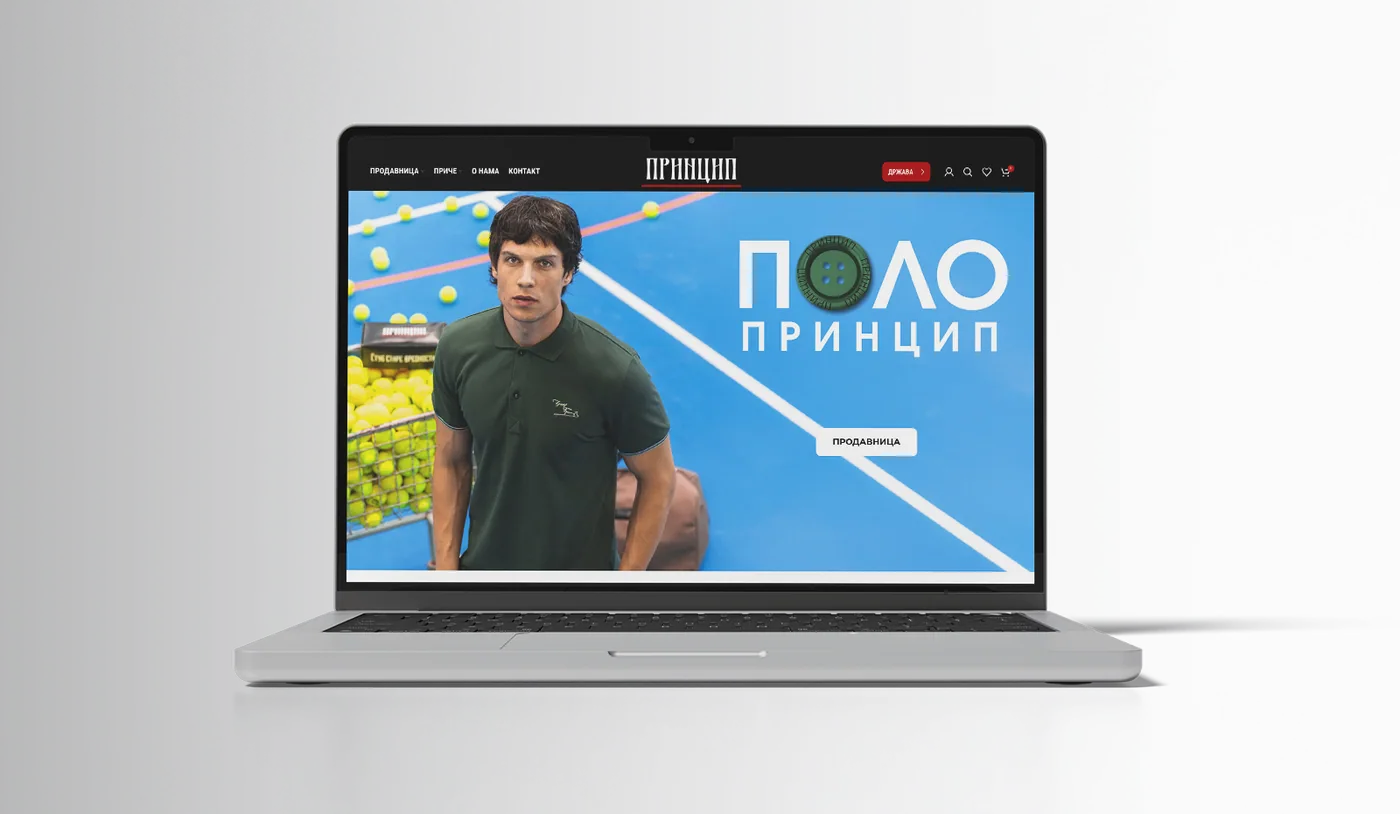
For Princip Shop, we worked on the design and development of an online store using WordPress and WooCommerce. The store connects collection imagery with clothing categories, product pages and the shopping cart. Photography carries the brand identity, while navigation provides access to the catalogue, customer account and wish list.
Clothing shoppers need to choose a size, check availability and understand what they can do if their preferred option is out of stock. We extended the store with a custom plugin for stock notification requests.
Photography, price and size selection on the product page
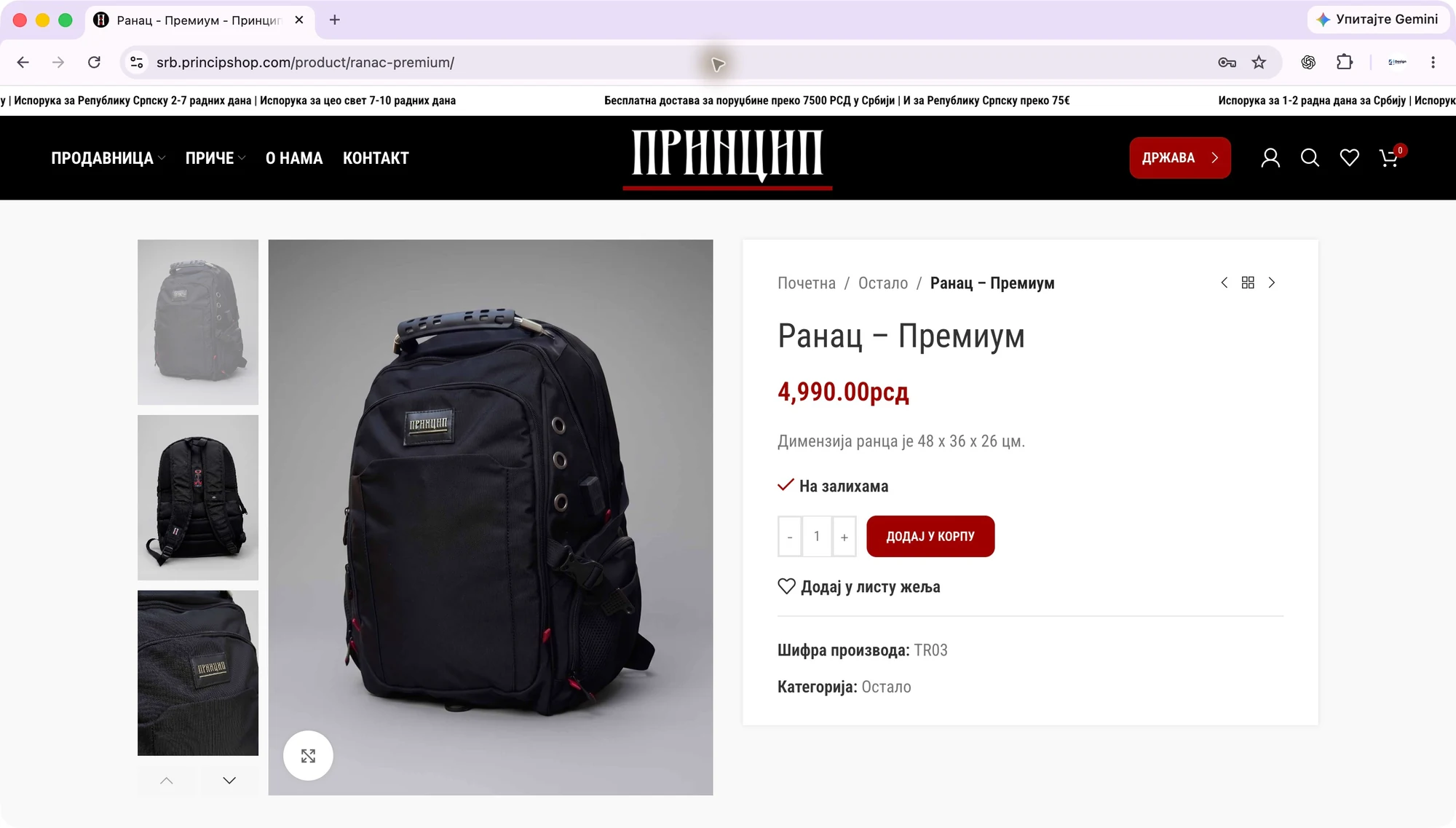
The product page brings the image gallery together with the name, price and purchasing controls. Clothing with size variants includes an option selector and access to a size guide. Customers keep the product in view while choosing an option.
The backpack is sold without a size choice. Its price is followed by availability, quantity and an add-to-cart action. We account for these differences when developing an online store. A simple product and clothing with several sizes need different controls.
What can a customer do when a size is unavailable?
We developed the “Notify me when available” WooCommerce plugin for selected products and their unavailable variants. Customers open the form, choose an offered size when needed and enter their email address. The request is saved after they confirm the subscription.
Each request refers to a specific product or variation. If a customer asks for size M, another size becoming available does not satisfy that request. For a simple product, the form uses the product itself and shows only the required fields.
Products that are entirely unavailable also offer a notification action in the catalogue. The out-of-stock label and notification button explain the next step before customers open the details. The feature is enabled for an agreed part of the range.
A single notification with a link back to the product
When the requested option is recorded as available again, the plugin prepares a one-time notification. The email includes the store logo, product photograph, name, selected size where applicable and a link to the corresponding variation. Customers return to the offer and check its current availability.
Request processing guards against repeated send attempts for the same subscription. Notification processing is separate from opening a product page. A customer's visit does not trigger processing of the whole notification queue.
Viewing requests in WooCommerce administration
The store team has a notification section inside WooCommerce. It shows subscriptions waiting for stock, messages handed to the mail system and processing status. Sending can be paused during checks or maintenance.
The display distinguishes a message handed to the mail system from a subscription still waiting. This helps the operator identify which part of the process needs attention. Access follows the store management permissions.
Checking selection, subscription and sending
Checks in an isolated test environment covered simple products and variants, repeat subscriptions, double-clicking confirmation, availability changes and network errors. They also covered retaining existing subscriptions during an upgrade. Earlier production checks included a guest subscription, duplicate handling and adding an available size to a test cart. The owner confirmed receipt of a test email.
This part of the project shows how custom software development can extend an existing platform. We start with the customer's specific request, define what the store processes and provide the team with a way to control the feature. For an unavailable size, that means variant selection, a subscription and one notification.
Planning a similar online store
For an estimate, prepare your categories, sample products and variation data. Explain how you maintain availability, who processes orders and which additional customer actions you need. Payment, business software and delivery integrations are scoped around your systems.
If you are choosing a platform, read our WooCommerce and Shopify comparison. For design and development scope, explore our website development service. Send a catalogue example and describe the feature you need in your project estimate request.